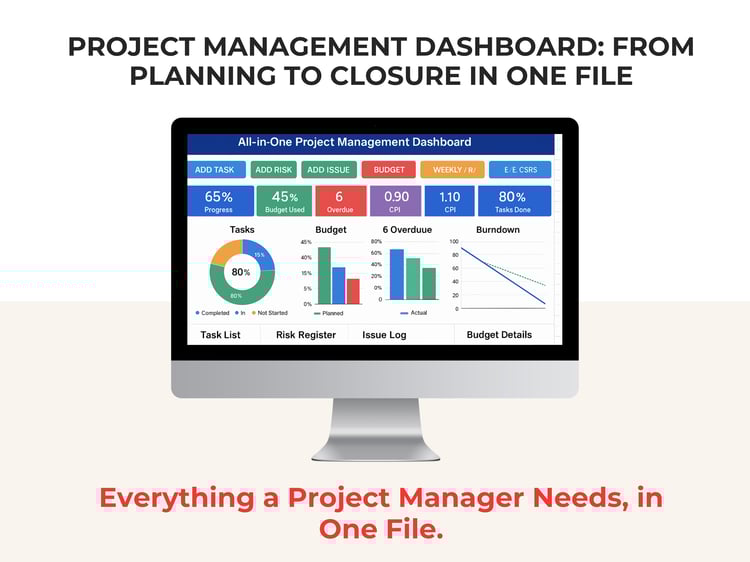
Turn Your Project Data Into Clear Decisions — Completely Offline
Stop jumping between spreadsheets, disconnected reports, risk registers, cost trackers, and schedule files.
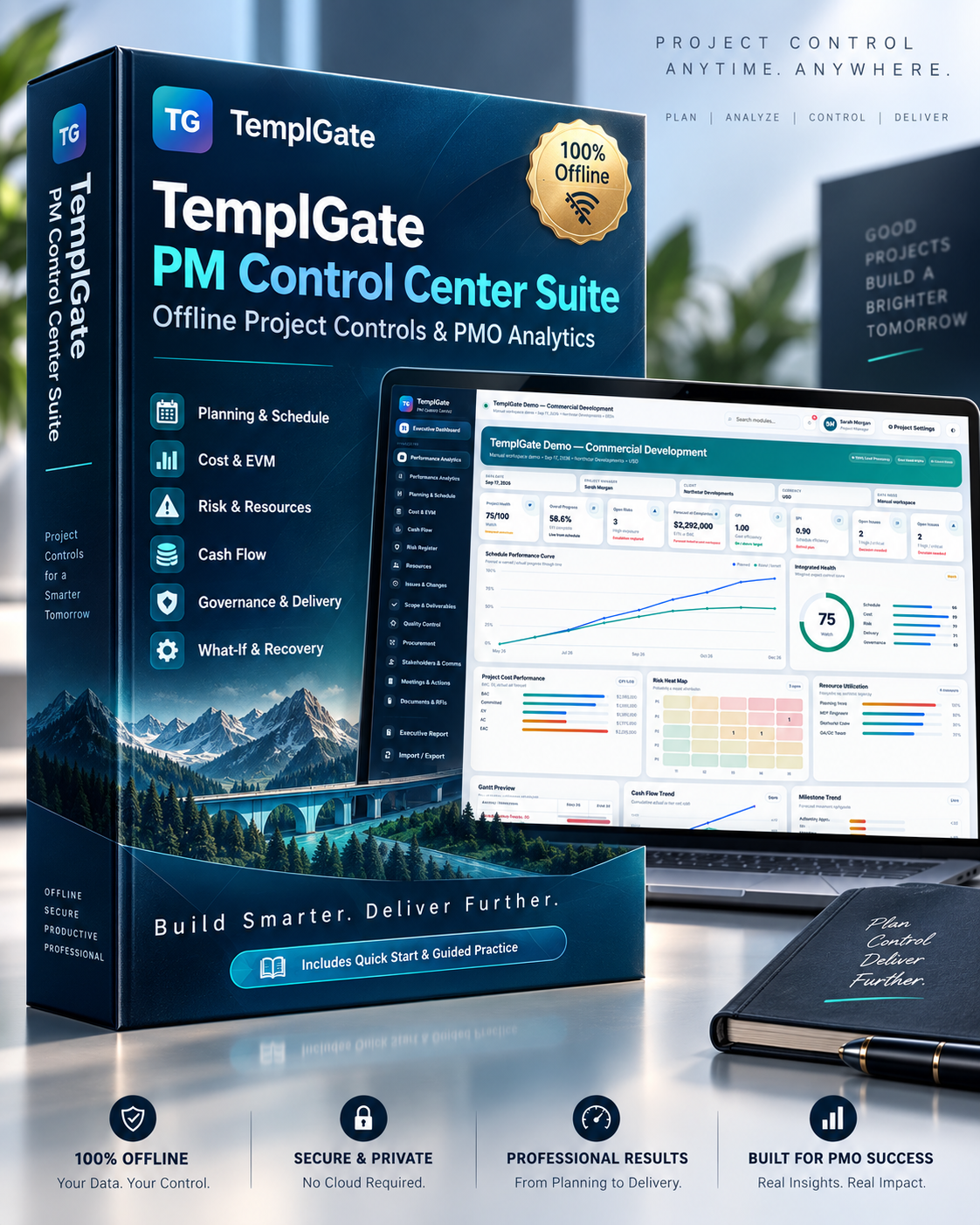
TemplGate PM Control Center brings your key project controls into one professional offline workspace — helping Project Managers, PMO teams, planners, cost controllers, and project controls professionals monitor performance, identify problems, and prepare management-ready reports faster.
No complicated installation.
No monthly subscription.
No cloud upload required.
Simply open the tool in Chrome or Microsoft Edge, import your project data or enter it manually, and start analyzing.
One Control Center for Your Entire Project
TemplGate PM Control Center connects your project information across multiple management areas so changes in your data are reflected automatically across dashboards, KPIs, analytics, and reports.
Executive Dashboard
Get an instant management-level view of your project, including:
- Overall Project Health
- Overall Progress
- CPI & SPI
- Estimate at Completion
- Critical Activities
- Open Risks
- Open Issues
- Schedule Performance
- Cost Performance
- Resource Utilization
- Risk Heat Map
- Cash Flow
- Milestone Trends
- Executive Alerts
Your dashboard becomes a single source of visibility for the current project position.
Planning & Schedule Control
Build your schedule manually or import available project information.
Monitor:
- Activities
- WBS
- Baseline Dates
- Current Dates
- Progress
- Total Float
- Milestones
- Constraints
- Predecessors
- Schedule Variance
- Critical Activities
Visualize your schedule using professional Gantt views and schedule performance charts.
Schedule Intelligence
Go beyond simply displaying activities.
The system helps identify potential schedule-control concerns including:
- Negative Float
- Open Ends
- Long-Duration Activities
- Excessive Lags
- Constraints
- Logic Issues
- Critical Path
- Near-Critical Work
- Delay Drivers
A DCMA-style 14-point schedule screening is also included for structured schedule-health review.
The screening is provided as decision-support analysis and is not an official DCMA certification.
Cost Control & Earned Value Management
Monitor your project's financial performance using:
- Budget at Completion — BAC
- Planned Value — PV
- Earned Value — EV
- Actual Cost — AC
- CPI
- SPI
- EAC
- Commitments
- Cost Variance
- Forecast Final Cost
Visualize cost performance through:
- Earned Value trends
- Cost performance charts
- Forecast vs Actual
- Cost variance analysis
- Monthly performance curves
Cash Flow Management
Monitor project cash movement by reporting period.
Track:
- Actual Inflows
- Actual Outflows
- Forecast Inflows
- Forecast Outflows
- Monthly Cash Position
- Cumulative Cash Position
Quickly identify periods where forecast cash flow may require management attention.
Risk Management
Maintain your project Risk Register directly inside the application.
Track:
- Probability
- Impact
- Risk Exposure
- Risk Owner
- Response Strategy
- Due Date
- Risk Status
Use the built-in 5×5 Risk Heat Map to immediately understand where your highest exposures are concentrated.
Resources
Monitor project resource capacity and allocation.
Track:
- Available Capacity
- Allocated Hours
- Utilization
- Resource Cost
- Roles
- Reporting Periods
The Resource Heatmap helps highlight potential over-allocation before it becomes a delivery problem.
Issues & Change Control
Keep project problems and changes visible.
Manage:
- Issues
- Severity
- Owners
- Due Dates
- Change Requests
- Cost Impact
- Schedule Impact
- Approval Status
This information is connected back to the overall project view.
Governance & Delivery Modules
TemplGate goes beyond traditional schedule and cost reporting.
It also includes dedicated workspaces for the wider management areas Project Managers deal with every day.
Scope & Deliverables
Monitor:
- Deliverables
- Weighted Progress
- Acceptance
- Baseline Dates
- Forecast Dates
- Slippage
- Owners
- Acceptance Criteria
Quality Control
Track:
- Inspections
- NCRs
- Punch List Items
- Audits
- Severity
- Root Cause
- Corrective Actions
- Quality Cost Impact
- Closure Performance
Procurement
Monitor:
- Procurement Packages
- Vendors
- Package Value
- PO Dates
- Required-on-Site Dates
- Forecast Delivery
- Procurement Progress
- Delivery Slippage
- Value at Risk
Stakeholders & Communications
Manage:
- Stakeholder Influence
- Current Engagement
- Target Engagement
- Sentiment
- Relationship Owners
- Contact Dates
Identify high-influence stakeholders requiring additional engagement.
Meetings & Actions
Keep action items under control with:
- Meeting Source
- Action Owner
- Priority
- Due Date
- Progress
- Aging
- Decisions
- Closure Status
Documents & RFIs
Track project information such as:
- RFIs
- Submittals
- Drawings
- Method Statements
- Technical Queries
- Revisions
- Submission Dates
- Response Dates
- Pending Approvals
- Turnaround Time
Powerful Performance Analytics
Your project data is converted into visual management intelligence.
Analyze:
- Performance trends
- WBS performance
- Schedule status
- Delay drivers
- Cost trends
- Risk exposure trends
- Milestone movement
- Data quality
- Critical path
- Relationship networks
- Governance health
Instead of manually reviewing dozens of spreadsheets, use one connected control environment to understand where attention is required.
Recovery & What-If Analysis
Explore potential project scenarios before making decisions.
For example:
What happens if a critical activity is delayed by 15 days?
The What-If workspace can help visualize:
- Potential downstream activity impact
- Forecast finish movement
- Activities affected
- Simulated project health
- Potential EAC impact
- Recovery days
- Recovery cost assumptions
Use it as a structured decision-support tool when considering recovery options.
Import Your Existing Data
TemplGate can work with several common project-data formats, including:
- Primavera P6 XER
- Microsoft Excel XLSX
- CSV
- Microsoft Project XML
- JSON
Or skip the import completely and build your project directly inside the application.
No File to Upload? No Problem.
Every major area has its own manual workspace.
Enter your:
Planning data →
Cost data →
Risks →
Resources →
Issues →
Procurement →
Quality →
Deliverables →
RFIs →
Stakeholders →
…and the system automatically connects the information to your dashboards and analytics.
Your Project Data Stays With You
One of the biggest advantages of TemplGate PM Control Center is privacy.
100% Local Processing
Your project information does not need to be uploaded to our servers.
The application runs locally in your browser.
This can be especially valuable when working with:
- Confidential schedules
- Commercial cost data
- Contractor information
- Client projects
- Internal company reports
Your project data stays on your device.
Portable Project Snapshots
Save your project and return to it later.
Use Export Snapshot to create a portable backup containing your project data.
You can later restore the Snapshot and continue working.
This also makes it easier to maintain project records between reporting periods.
Executive Reporting
Convert project data into a structured management report containing:
- Project Health
- Progress
- Schedule Performance
- Cost Performance
- Risks
- Governance Health
- Key Exceptions
- Management Attention Items
- Recommended Actions
Reports can also be printed or saved as PDF through your browser.
No Installation. No Subscription.
TemplGate PM Control Center is delivered as a lightweight HTML application.
Simply:
1. Open the file in Chrome or Microsoft Edge
2. Import or enter your project data
3. Review your Dashboard and Analytics
4. Save your Project Snapshot
5. Generate management reports
That's it.
Who Is This For?
Ideal for:
- Project Managers
- PMO Professionals
- Planning Engineers
- Project Controls Engineers
- Cost Controllers
- Construction Professionals
- Consultants
- Contractors
- Program Teams
- Small and Medium Businesses
- Freelance Project Managers
Why TemplGate PM Control Center?
Because a project manager should not need ten disconnected spreadsheets just to answer:
Are we on schedule?
Are we over budget?
What are our biggest risks?
Which activities are driving delay?
What needs management attention right now?
TemplGate helps bring those answers together in one place.
Included With Your Purchase
You receive:
✓ TemplGate PM Control Center
✓ Offline lifetime-use application
✓ Built-in Quick Start & Guide
✓ Guided Practice Workspace
✓ Future improvements according to your purchase terms
Build Smarter. Control Better. Deliver Further.
Bring schedule, cost, risk, resources, governance, and executive reporting together inside one professional project control environment.
Get TemplGate PM Control Center today.
One tool. One project view. Better decisions.
Important: TemplGate PM Control Center is a project-management and decision-support tool. Outputs, forecasts, scores, simulations, and recommendations depend on the accuracy and completeness of the information entered or imported. Important contractual, financial, safety, engineering, or project decisions should always be reviewed by the appropriate qualified professionals.