Value Stream Map (VSM) Template (Excel) is a practical Lean tool designed to help you visualize your end-to-end process, spot waste, and redesign the flow of materials and information to deliver faster, smoother, and more consistent customer value.
Instead of discussing “improvements” in meetings, this template helps you see the process clearly on one page — including delays, queues, handoffs, information flow, and cycle times — so you can identify what to fix first and measure the impact.
What This Template Helps You Do
✅ Map the current state from Supplier → Customer with clear material + information flow
✅ Identify bottlenecks, waiting, rework, excess inventory, and unnecessary handoffs
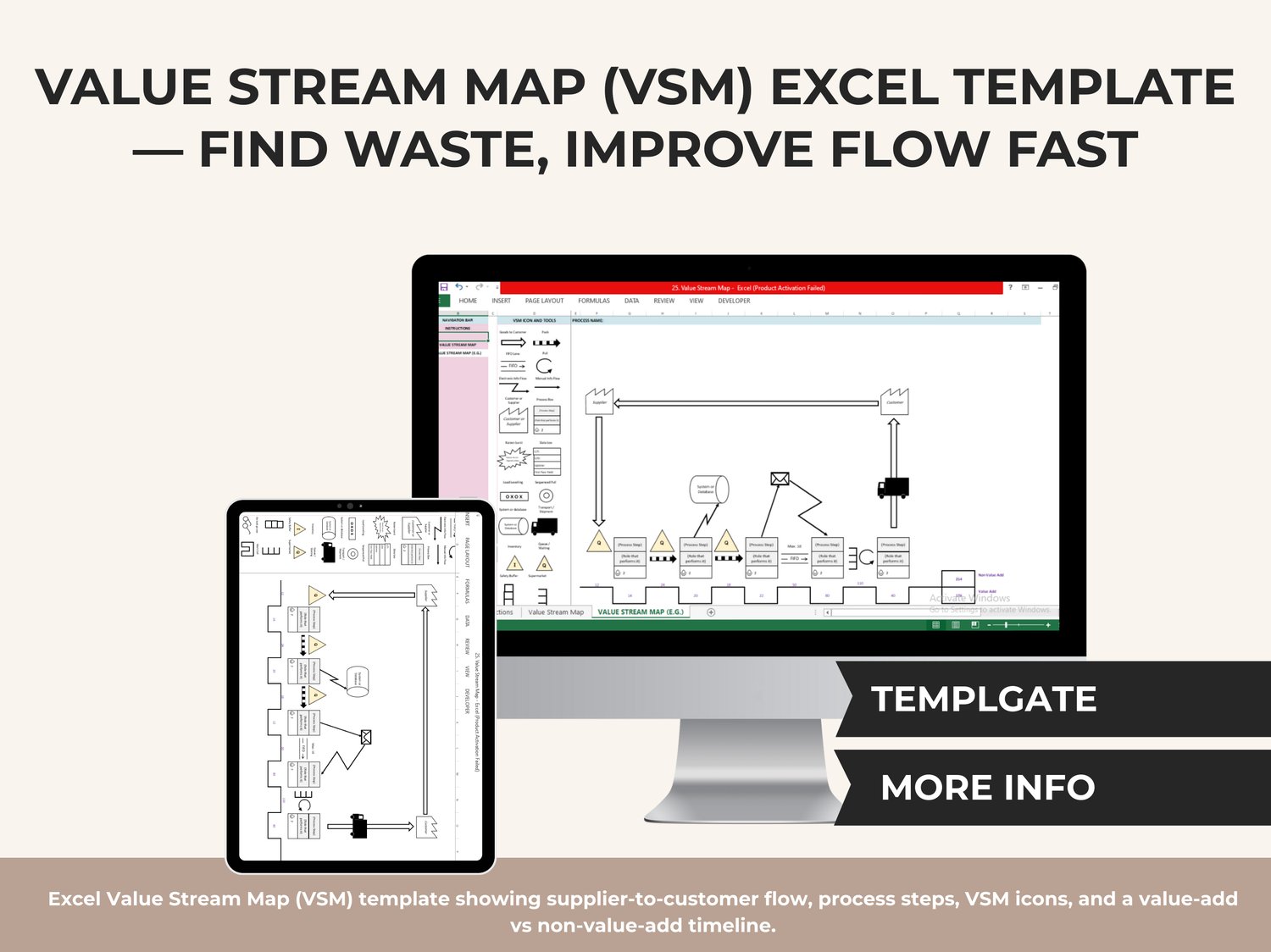
✅ Separate Value-Add vs Non-Value-Add time using the timeline at the bottom
✅ Create a structured baseline for Lean projects, Kaizen events, and continuous improvement plans
✅ Communicate your process visually to stakeholders (operations, quality, PMO, leadership)
What’s Included (3 Sheets)
✅ Instructions
✔️ Quick guidance to help you set up and edit the map efficiently.
✅ Value Stream Map
✔️ A clean, ready-to-build VSM canvas where you create your own process map.
✅ Value Stream Map
✔️ A complete example map showing how to place icons, connect flows, and use the timeline correctly.
Key Features Inside the Template
✅ VSM Icon & Tools Panel (copy/paste into the canvas)
✔️ Push / Pull indicators
✔️ Goods-to-customer arrows
✔️ FIFO lanes
✔️ Electronic vs manual information flow
✔️ Customer / Supplier icons
✔️ Process boxes + role boxes
✔️ Data box fields (CT, C/O, uptime, first pass yield)
✔️ Inventory triangles & queue/wait symbols
✔️ Kaizen burst (for improvement opportunities)
✔️ Load leveling symbols
✔️ System/database icon
✔️ Transport/shipment visuals
✔️ Safety buffer & supermarket symbols
✅ Value-Add vs Non-Value-Add Timeline
✔️ Helps you show time and delays visually so improvement priorities become obvious.
✅ Simple Navigation Bar
✔️ Jump between sheets quickly without searching.
✅ Professional, clean layout
✔️ Ideal for internal reporting, Lean workshops, and leadership presentations.
How to Use (Quick Workflow)
➡️ Choose the product/service or process you want to map
➡️ Define the start and end (Supplier → Customer)
➡️ Copy the icons from the toolbox and paste them into the canvas
➡️ Add each process step and fill in the data box metrics (CT, changeover, uptime, FPY)
➡️ Draw material + information flow connections
➡️ Use the timeline to mark value-add vs non-value-add time
➡️ Mark improvement opportunities using Kaizen bursts and redesign your future state
Who This Template Is For
✅ Lean / Six Sigma professionals
✅ Operations and manufacturing teams
✅ Service and admin process improvement teams
✅ Project managers running efficiency initiatives
✅ Quality and continuous improvement leaders
✅ Kaizen event facilitators
Compatibility
✅ Works in Microsoft Excel (Excel 2009 or higher)
❌ Not compatible with Google Sheets (formatting and VSM drawing elements are Excel-based)