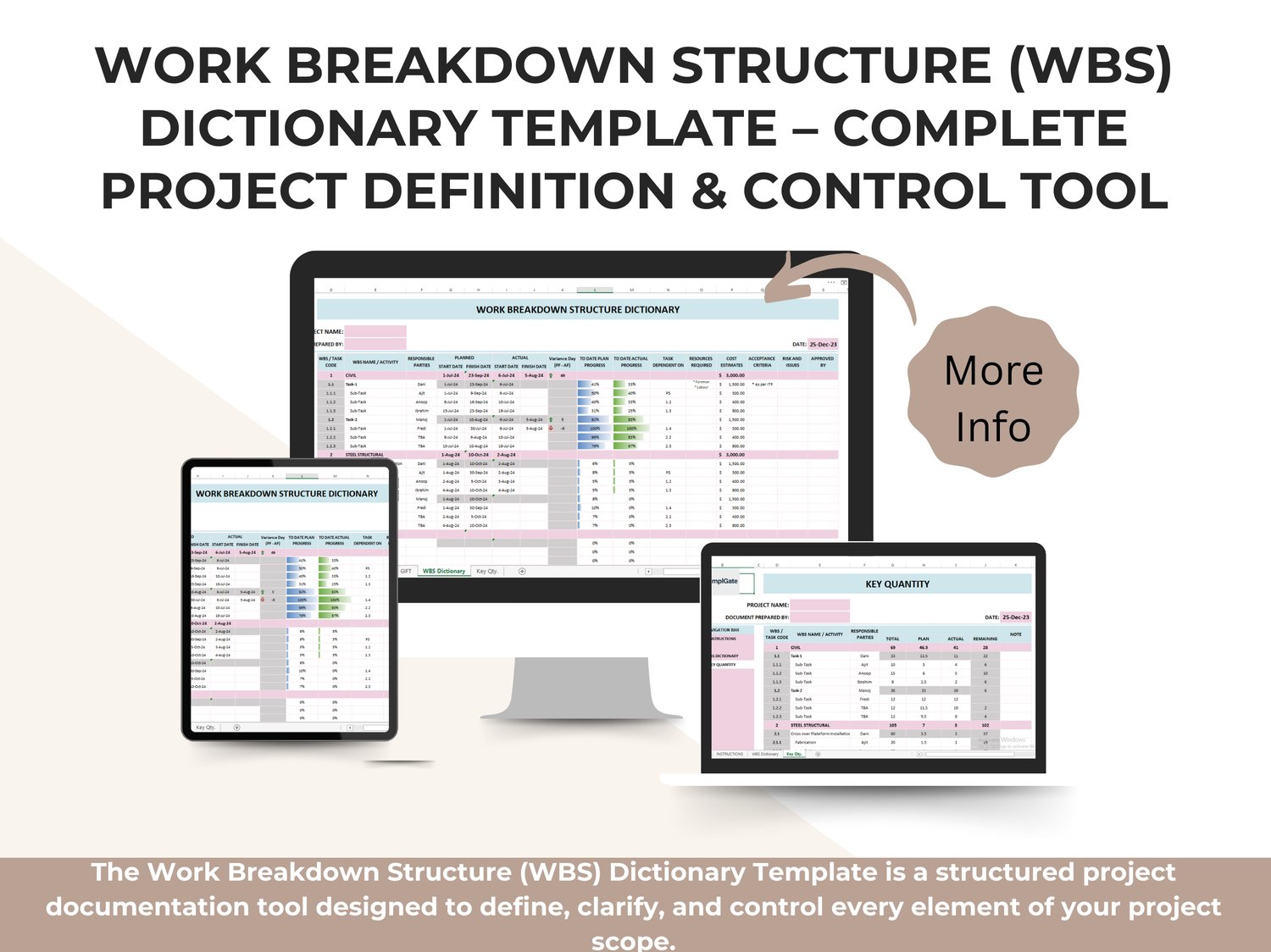
The Work Breakdown Structure (WBS) Dictionary Template is a structured project documentation tool designed to define, clarify, and control every element of your project scope. It works alongside the Work Breakdown Structure (WBS) to ensure that every task, sub-task, and work package is clearly documented, measurable, and aligned with project objectives.
While the WBS visually breaks the project into manageable components, the WBS Dictionary provides the detailed explanation behind each component, eliminating ambiguity, scope gaps, and misinterpretation among stakeholders.
This template is ideal for professional project planning, execution, monitoring, and audit readiness.
What This Template Helps You Achieve
➡️ Clearly define the scope of every WBS element
➡️ Avoid scope creep and unclear responsibilities
➡️ Align teams on deliverables, dates, and expectations
➡️ Improve schedule, cost, and risk control
➡️ Support professional reporting, reviews, and approvals
By documenting what each task includes—and what it does not—you establish a single source of truth for project scope and execution.
What Is a WBS Dictionary?
A Work Breakdown Structure Dictionary is a formal document that expands each WBS element into detailed descriptions, including:
✔️ Scope definition
✔️ Activities and deliverables
✔️ Planned and actual dates
✔️ Responsible parties
✔️ Dependencies
✔️ Resource requirements
✔️ Cost estimates
✔️ Acceptance criteria
✔️ Risks and issues
✔️ Approval tracking
This level of detail ensures that everyone understands exactly what must be done, how it will be done, and how success is measured.
What’s Included in This Template
This professionally designed spreadsheet allows you to document and manage:
✔️ WBS & Task Identification
Each task is linked to a unique WBS / Task Code, ensuring traceability from high-level scope down to individual work packages.
✔️ Activity & Responsibility Definition
You can assign responsible parties for each WBS element, improving accountability and ownership.
✔️ Planned vs Actual Dates
Track planned start and finish dates alongside actual dates, allowing you to immediately identify schedule variances.
✔️ Progress Tracking
The template includes to-date planned progress vs to-date actual progress, giving you a clear, real-time view of performance.
✔️ Schedule Variance (Days)
Automatic comparison between planned and actual dates highlights delays or early completions.
✔️ Task Dependencies
Define logical relationships between tasks to support sequencing and coordination.
✔️ Resources & Cost Estimates
Document required resources and cost estimates per work package, supporting budgeting and cost control.
✔️ Acceptance Criteria
Clearly state how each deliverable will be accepted, reducing rework and disputes.
✔️ Risk & Issue Tracking
Identify risks and issues at the task level for proactive project control.
✔️ Approval Tracking
Record approvals to support governance, audits, and formal project reviews.
Spreadsheet Structure
There is 1 dedicated tab in this spreadsheet, accessible from the bottom or side navigation:
➡️ WORK BREAKDOWN STRUCTURE DICTIONARY
This tab contains:
- Project and document details
- Full WBS hierarchy (summary tasks and sub-tasks)
- Detailed planning, execution, and control fields
- Progress indicators and variance tracking
- Cost, risk, and approval sections
The layout is clean, structured, and ready for immediate use.
Who Should Use This Template
✔️ Project Managers
✔️ PMO Teams
✔️ Construction & Engineering Managers
✔️ IT & Software Project Leads
✔️ Consultants & Planners
✔️ Organizations following PMBOK® or structured methodologies
This template is especially valuable for medium to large projects, regulated environments, and projects requiring strong documentation discipline.
File Compatibility & Flexibility
✔️ Works seamlessly in Microsoft Excel
✔️ Fully editable and reusable
✔️ No macros or technical setup required
✔️ Suitable for any industry or project type
Why This WBS Dictionary Template Stands Out
✅ Professional PM-standard structure
✅ Reduces misunderstandings and scope gaps
✅ Strengthens planning, control, and reporting
✅ Improves team alignment and accountability
✅ Supports audits, claims, and formal approvals
✅ Saves hours of manual documentation work