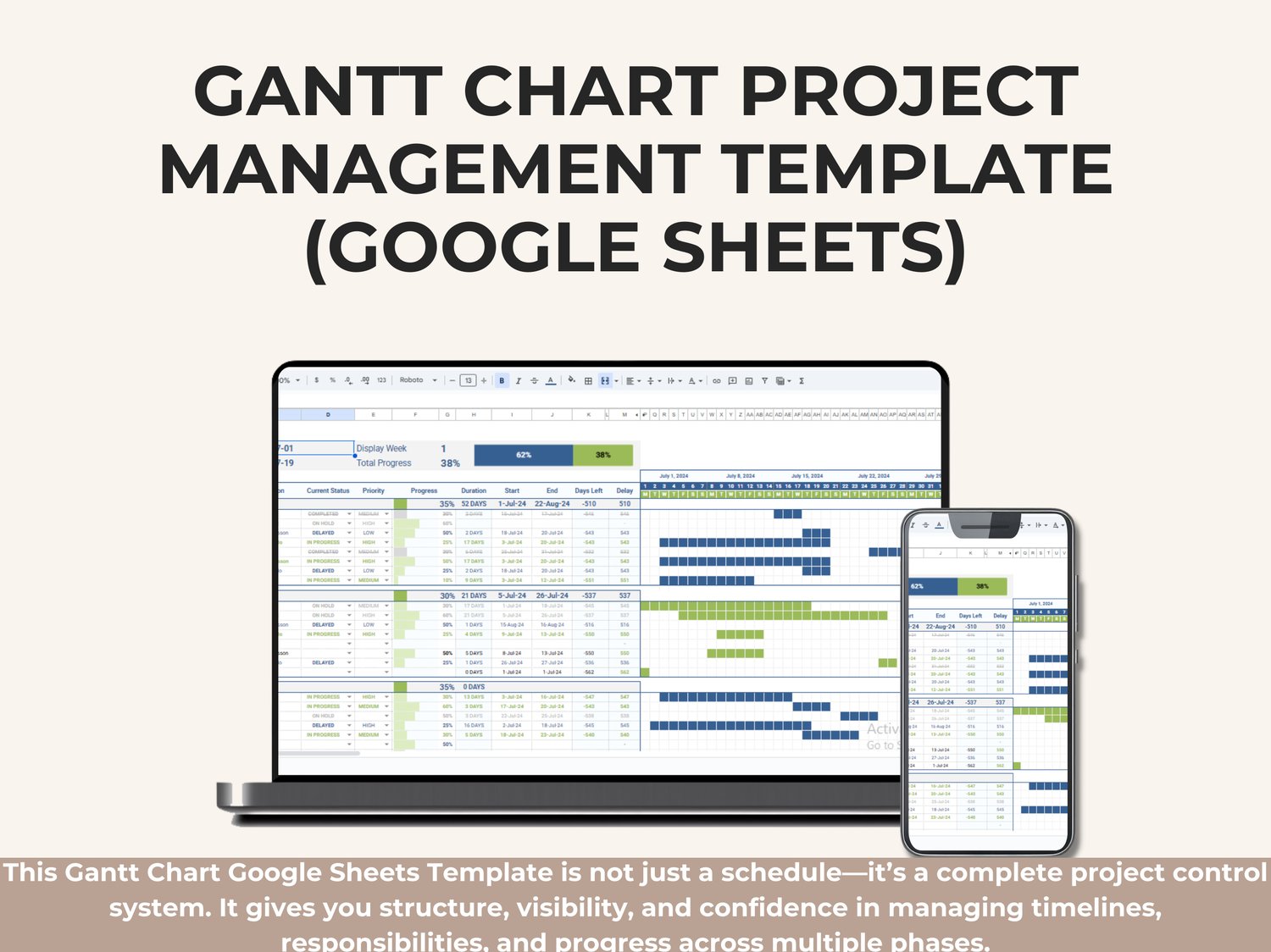
This Gantt Chart Project Management Template is a complete visual planning and tracking system built entirely in Google Sheets, designed to help you manage projects from start to finish with absolute clarity.
It combines task planning, progress tracking, priorities, responsibilities, timelines, and real-time visualization in one clean, professional dashboard—without the need for complex software or manual updates.
Whether you are managing a small project or a multi-phase initiative, this template gives you a clear picture of what is happening, who is responsible, and how the project is progressing over time.
What This Template Includes
Project Overview Section
At the top of the dashboard, you can define and monitor the core project details:
• Project Name
• Start Date
• End Date
• Display Week selector
• Total Project Progress (%) with a visual progress bar showing completed vs remaining work
This section gives you an instant high-level snapshot of the project’s current status.
Phase-Based Project Structure
The project is divided into clear phases, making it easy to organize work logically and track progress phase by phase.
Each phase displays:
• Phase name (Phase 1, Phase 2, Phase 3, etc.)
• Phase progress percentage
• Phase duration (in days)
• Phase start and end dates
This structure helps you manage complex projects without losing visibility.
Task Management Table
Each phase contains a detailed task list with professional project management fields:
• Task name
• Assigned person
• Current status (In Progress, Completed, On Hold, Delayed)
• Priority level (Low, Medium, High)
• Progress percentage
• Duration (days)
• Start date
• End date
• Days left
• Delay tracking
All fields are structured to support real project execution—not just planning.
Automated Gantt Chart Timeline
The right side of the template features a fully automated Gantt Chart that visually represents your entire project timeline.
The chart automatically:
• Displays tasks across daily timelines
• Updates bars based on start and end dates
• Shows task duration visually
• Reflects progress changes instantly
• Separates phases using color-coded sections
No manual drawing or formatting is required—just enter your data and the Gantt chart updates automatically.
Visual Status & Progress Indicators
The template uses visual cues to make project tracking effortless:
• Progress bars inside task rows
• Color indicators for task status
• Priority highlighting
• Phase separators for easy navigation
• Weekly and daily timeline headers
This allows you to identify delays, risks, and bottlenecks at a glance.
Weekly Timeline View
The timeline includes:
• Calendar dates
• Day numbers
• Day-of-week indicators
• Week segmentation
This makes it ideal for short-term and long-term project planning, sprint tracking, and milestone monitoring.
Why This Gantt Chart Template Is Effective
✔ Keeps all project information in one place
✔ Reduces confusion between tasks and phases
✔ Makes progress visible and measurable
✔ Helps detect delays early
✔ Improves accountability with clear task ownership
✔ Works fully online in Google Sheets
✔ No software installation required
Who Should Use This Template
This template is ideal for:
• Project Managers
• PMOs
• Team Leaders
• Consultants
• Operations Managers
• Construction & Engineering Teams
• Marketing & Product Teams
• Freelancers managing multiple projects
If you need a professional, visual, and structured way to manage projects, this template is built for you.
Platform & Access
• Platform: Google Sheets
• Access: Cloud-based, accessible from any device
• Collaboration: Real-time team collaboration supported
• Customization: Fully editable and reusable