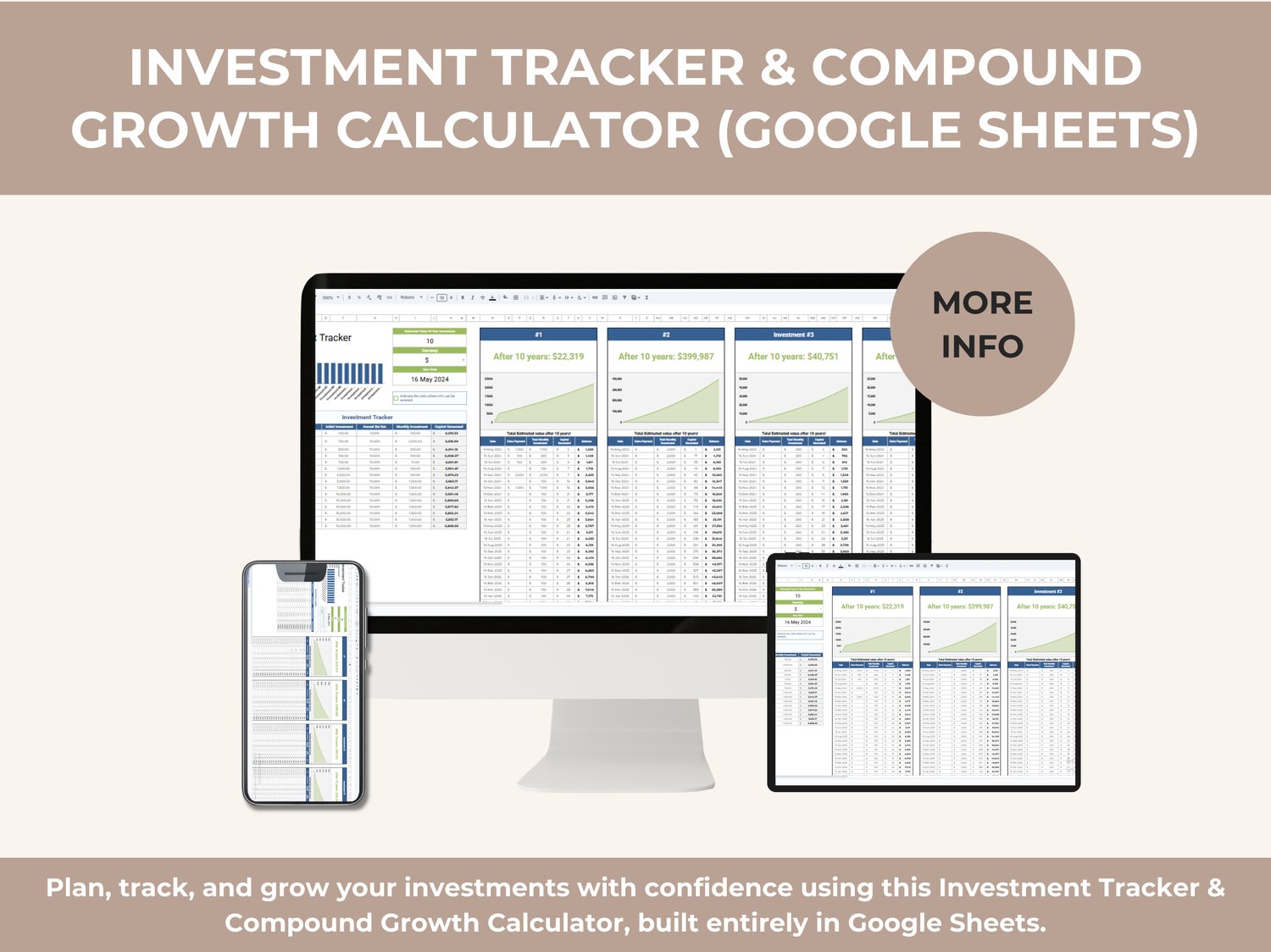
Plan, track, and grow your investments with confidence using this Investment Tracker & Compound Growth Calculator, built entirely in Google Sheets.
This template gives you a clear long-term view of your investments, showing how regular contributions and compound growth can build wealth over time — without complex software, apps, or subscriptions.
Designed for beginners and serious planners alike, this tracker turns investment data into visual, easy-to-understand insights.
What This Template Helps You Do
This Investment Tracker helps you:
• Track multiple investments in one place
• See projected investment value after 10 years
• Visualize compound growth over time
• Monitor monthly contributions and capital generated
• Compare multiple investment scenarios side-by-side
• Make smarter long-term financial decisions
Whether you’re saving for retirement, building passive income, or planning long-term goals, this template gives you clarity and control.
What’s Included in the Template
Investment Dashboard Overview
A clean summary view that shows:
• Total capital invested
• Capital generated over time
• Investment timeline
• Growth visualization
• Automatic calculations based on your inputs
Individual Investment Scenarios (#1 – #4)
Each investment scenario includes:
• Initial investment amount
• Monthly contribution
• Annual return rate
• Growth chart over 10 years
• Final estimated value displayed clearly at the top
This allows you to compare multiple strategies side by side, such as different contribution amounts or return assumptions.
Detailed Investment Tables
Investment Tracker Table
Track all your investments with:
• Initial investment
• Annual return rate
• Monthly investment amount
• Total capital invested
• Capital generated
• Automatic totals
Monthly Growth Breakdown
For each investment scenario, you get:
• Date
• Monthly payment
• Total monthly contributions
• Capital growth
• Balance progression
Visual Growth Charts
• Line charts showing compound growth over time
• Easy-to-read projections
• Clear comparison between contributions and returns
• Visual confirmation of long-term investing impact
Built-In Flexibility
• Change currency easily
• Adjust start date
• Modify contribution amounts
• Test different return rates
• Duplicate scenarios for unlimited strategies
All calculations update instantly.
Why This Investment Tracker Works
• 100% Google Sheets
• No Excel files
• No subscriptions or apps
• Beginner-friendly
• Automatic calculations
• Clean, professional layout
• Works on desktop, tablet, and mobile
No finance degree required — just enter your numbers and let the tracker do the work.
Who This Template Is For
• Individuals planning long-term investments
• Beginners learning about compound growth
• Professionals managing multiple investment goals
• Side hustlers building passive income
• Anyone who wants a clear investment roadmap
How to Use It
- Open the template in Google Sheets
- Set your investment amounts and return rates
- Choose monthly contributions
- Review projected growth and final value
The dashboard updates automatically.
File Type & Access
• Google Sheets only
• Instant access after purchase
• Reusable for unlimited investment plans
• Cloud-based and accessible from anywhere
If you want a simple yet powerful way to understand how your money can grow over time, this Investment Tracker gives you a professional system for planning, tracking, and visualizing long-term investment success — all in one smart Google Sheets file.